Nov/Dec - 2012: The Pinterest button is acting up again. If you have trouble there is a code fix now within this post - you might find some issues since the Pinterest code doesn't work well.
As you probably know, Pinterest is sweeping the world right now as yet another social networking site. It's novel approach allowing users to share interests by 'pinning' images onto grouped boards seems to have captured people's attention.
You may have noticed that I've added the Pinterest button to my posts. For this site, Pinterest probably doesn't apply very well since it is focused on 'how to' content rather than more design, or image-centric activities (feel free to Pin-it anyway, if you'd like!). But, if your site is focused on hobbies, travel, photography, design, etc., then Pinterest is the social site you should be connecting to.
Adding a Pinterest button to your Blogger posts is relatively simple - however, it is a direct template customization that could cause you some issues. As always be sure to backup your template before making these changes (check out my post if you don't remember how - How to Backup Your Blogger Template).
Oddly, the Pinterest Goodies section that allows you to create buttons is very static for sites. They have you enter your site and image URLs directly to make a button. This might be fine for a static page or site, but as bloggers we want each post to be linkable to Pinterest.
Fortunately, some creative souls out there were able to modify the Pinterest scripts in a way that allows the buttons to be connected to each post. In this example I wanted the button to fit with the standard, out-of-the-box Blogger social media buttons at the bottom of each post. (My guess is that Google will add a Pinterest button within a year or two so this tutorial will just be a bridge for now.)
Adding the Pinterest Pin it Button to Your Posts
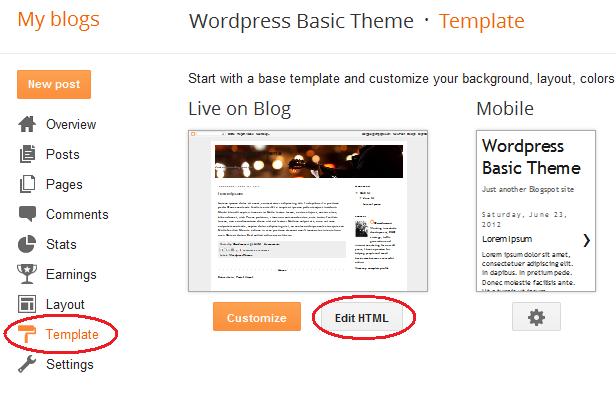
The first step is to jump to the Blogger Main Menu for your blog and choose the 'Template' and 'Edit HTML' option: